Crypto swaps
Move Between Supported Assets When You Need To
Swap one digital asset for another in seconds, right inside your HostFi wallet, with no swap fees.


- 0 swap fees
- Rate shown before you confirm
- 6 supported assets
What is a swap?
One asset in, another out. No exchange hopping.
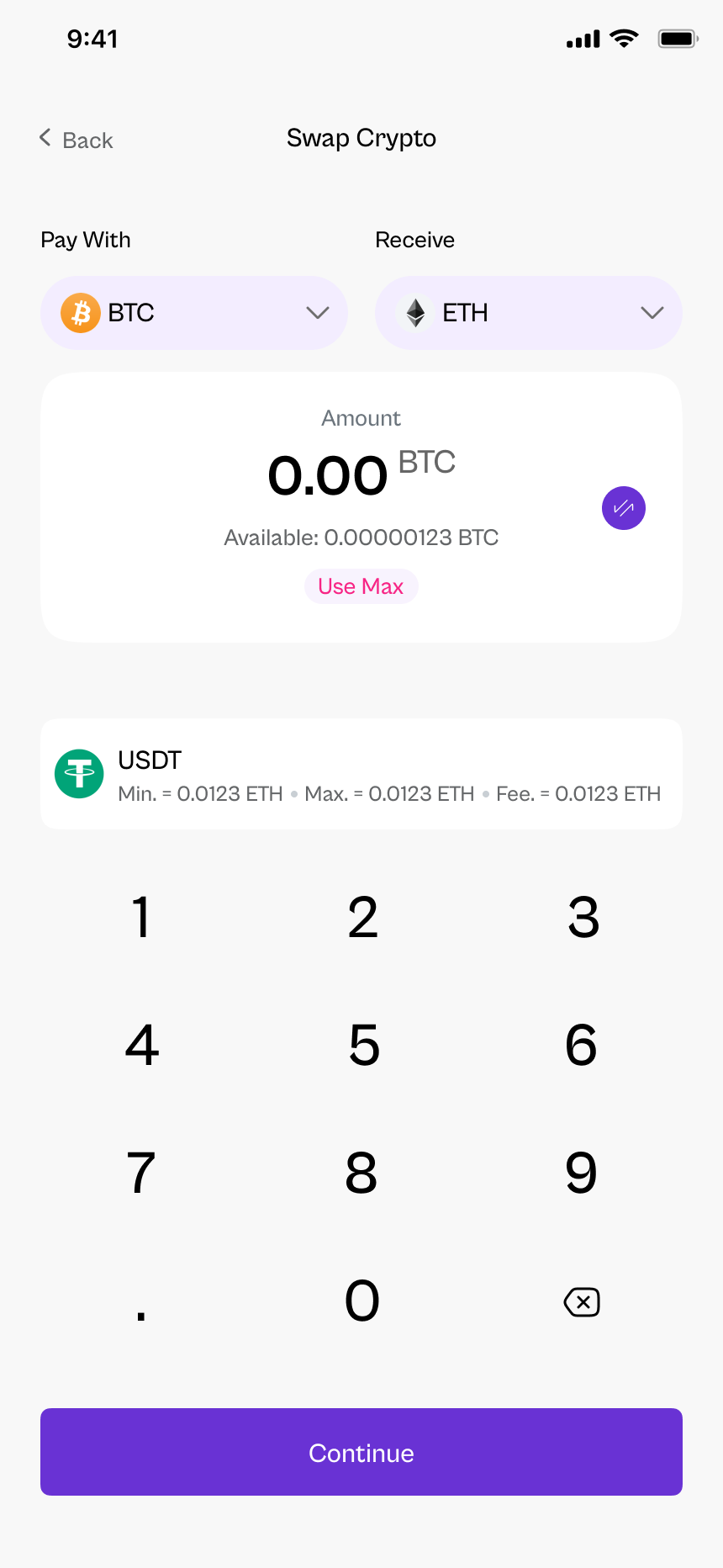
A swap exchanges one supported asset for another inside your HostFi wallet. You don't need to send funds to another platform, wait for transfers or pay a swap fee.





Lock in value
Move volatile assets like BTC or SOL into stablecoins when markets get choppy.
Get ready to spend
Swap into USD-pegged assets before funding your card or withdrawing.
Consolidate payouts
Paid in different assets? Bring them together into the one you prefer.
Rebalance
Shift your mix between assets whenever your plans change.
Supported assets & pairs
Pick a starting asset
Choose what you hold to see what you can swap it into.
Swap from
Tether
can be swapped into 5 assets
- USDT → USDCFree
- USDT → BTCFree
- USDT → ETHFree
- USDT → SOLFree
- USDT → BNBFree
Show all 30 swap pairsHide swap pairs
- Swap USDT to USDC
- Swap USDT to BTC
- Swap USDT to ETH
- Swap USDT to SOL
- Swap USDT to BNB
- Swap USDC to USDT
- Swap USDC to BTC
- Swap USDC to ETH
- Swap USDC to SOL
- Swap USDC to BNB
- Swap BTC to USDT
- Swap BTC to USDC
- Swap BTC to ETH
- Swap BTC to SOL
- Swap BTC to BNB
- Swap ETH to USDT
- Swap ETH to USDC
- Swap ETH to BTC
- Swap ETH to SOL
- Swap ETH to BNB
- Swap SOL to USDT
- Swap SOL to USDC
- Swap SOL to BTC
- Swap SOL to ETH
- Swap SOL to BNB
- Swap BNB to USDT
- Swap BNB to USDC
- Swap BNB to BTC
- Swap BNB to ETH
- Swap BNB to SOL
Step by step
How to complete a swap
- 1
Choose your assets
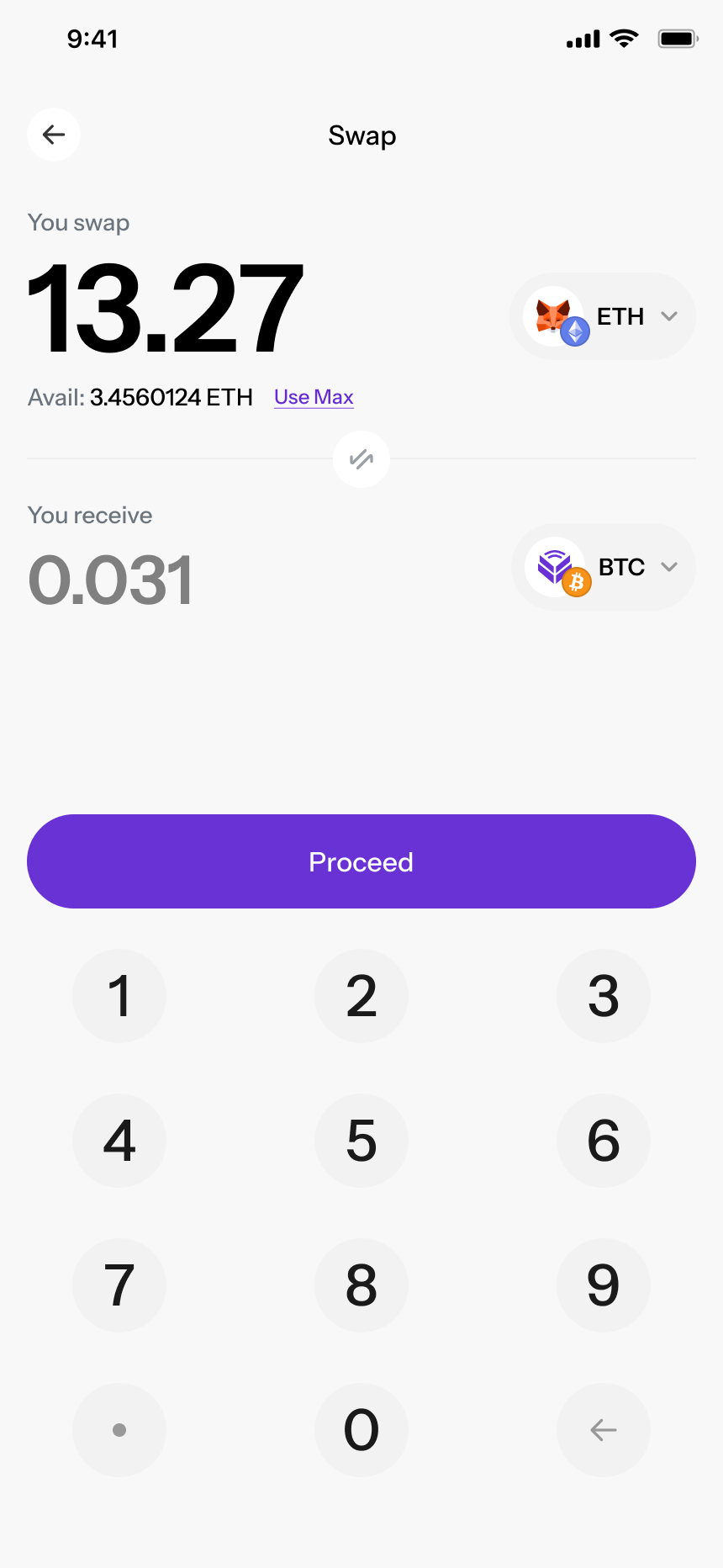
Open Swap in the HostFi app. Pick the asset you want to swap from and the asset you want to receive.
- 2
Enter the amount
Type how much you want to swap, or tap 25%, 50% or Max. You'll see an estimate of what you'll receive.
- 3
Review the rate
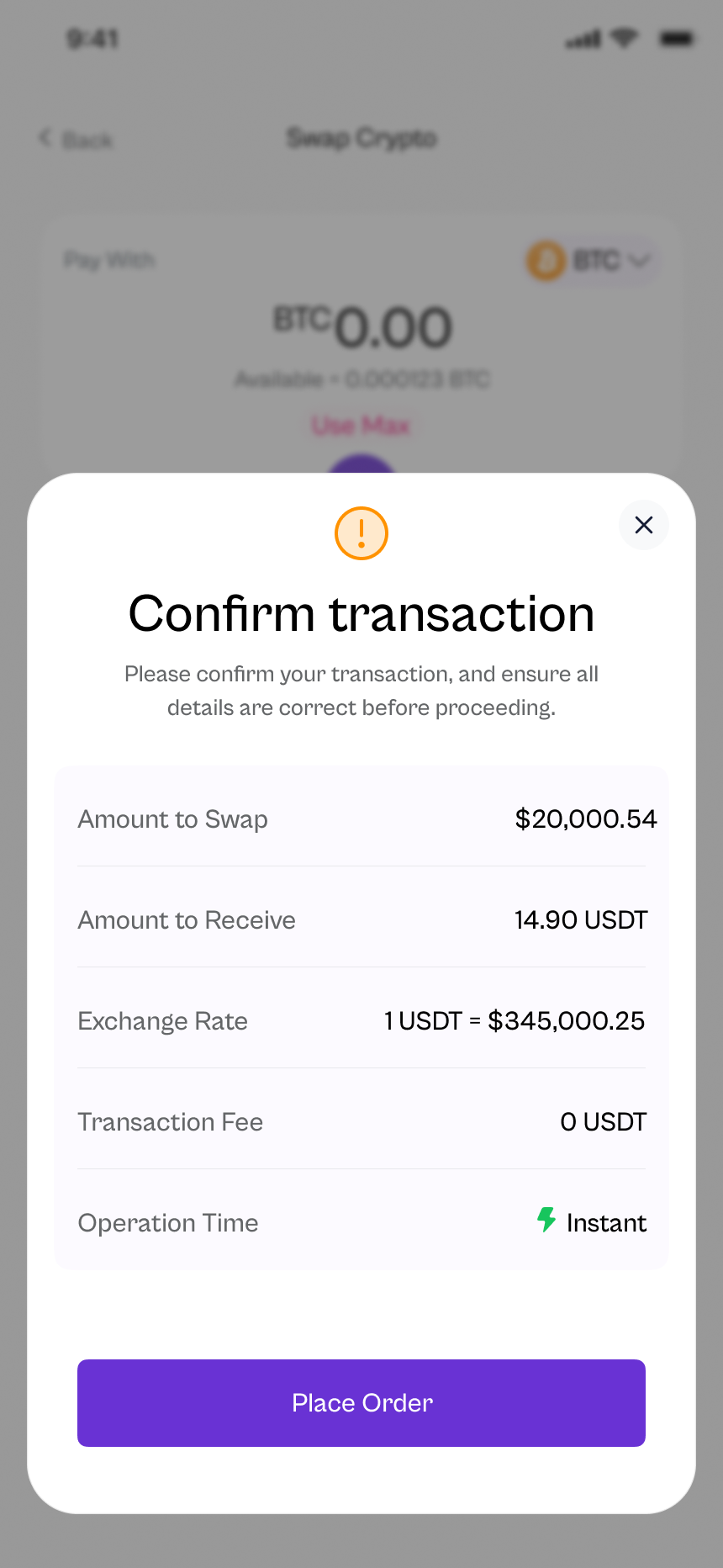
Check the exchange rate, the amount you'll receive and the fee (free) on the review screen.
- 4
Confirm and you're done
Confirm the swap. Your new asset lands in your HostFi balance in seconds.
Fees & exchange rates
Swaps on HostFi are free. You only need to check the rate.
- Swap fee
- FreeHostFi doesn't charge fees for swaps
- Exchange rate
- Live market rateShown on the review screen before you confirm
- What you'll receive
- Shown before you confirm
- Speed
- SecondsSwaps happen inside your HostFi wallet
- Minimum amount
- Shown in app
Rates move with the market. The amount on your review screen is what you'll receive if you confirm in time.
Before you confirm a swap
A quick check that takes five seconds and saves headaches.
- 1
The direction
Make sure you're swapping from the right asset into the right asset.
- 2
The amount
Double-check the amount you're swapping, especially if you used Max.
- 3
The rate & receive amount
Confirm the exchange rate and how much you'll receive look right.
- 4
It's final
Completed swaps can't be reversed. You can swap back later at the current rate.
Swap questions,
answered
What is a crypto swap?


A swap exchanges one digital asset for another inside your HostFi wallet, for example turning BTC into USDT, without sending funds to another exchange.
Does HostFi charge a fee to swap?
No. HostFi does not charge fees for swaps. You'll see the exchange rate and exactly how much you'll receive before you confirm.
Which assets can I swap?
You can swap between supported assets including BTC, ETH, SOL, BNB, USDT and USDC. The available pairs are shown in the app when you start a swap.
How is the exchange rate set?
Rates follow the market and update in real time. The rate you'll get is shown on the review screen before you confirm the swap.
How long does a swap take?
Swaps happen inside your HostFi wallet, so they're typically completed in seconds once you confirm.
Can I cancel a swap?
Review the assets, amount and rate carefully before you confirm. Once a swap is confirmed and completed, it can't be reversed. You can always swap back, at the current rate.
Swap whenever you need to
Download HostFi and move between supported assets with zero swap fees.